How I Use AI for Creative Iteration
AI Is Already in My Workflow
I find myself talking about AI, or at least thinking about AI, nearly every single day. It’s already ingrained in my personal and professional workflows, and I am grateful for it. I was an early adopter in my creative practice, and it’s become essential for speeding up workflows and offloading admin tasks I don’t want to get bogged down in.
Today, I want to share a specific use case for AI in the creative process that I haven’t seen widely discussed online. Over the past two years, I’ve found myself repeating the same point, which I still stand by: GenAI should not be used as a final production output, but rather for exploration and iteration of ideas.
Addressing Real-World Constraints
Recently, I worked on a web design project for a small client who was starting their own consulting business and didn’t have a huge creative budget. At this point, I hadn’t experimented much with GenAI in my actual creative process, more so for writing emails and proposals, but this time I wanted to see what it was capable of in terms of image generation. As a designer who has been practicing for nearly 10 years I have a strong handle on the pen tool in Adobe Illustrator, but I wanted to see how ChatGPT stacked up.
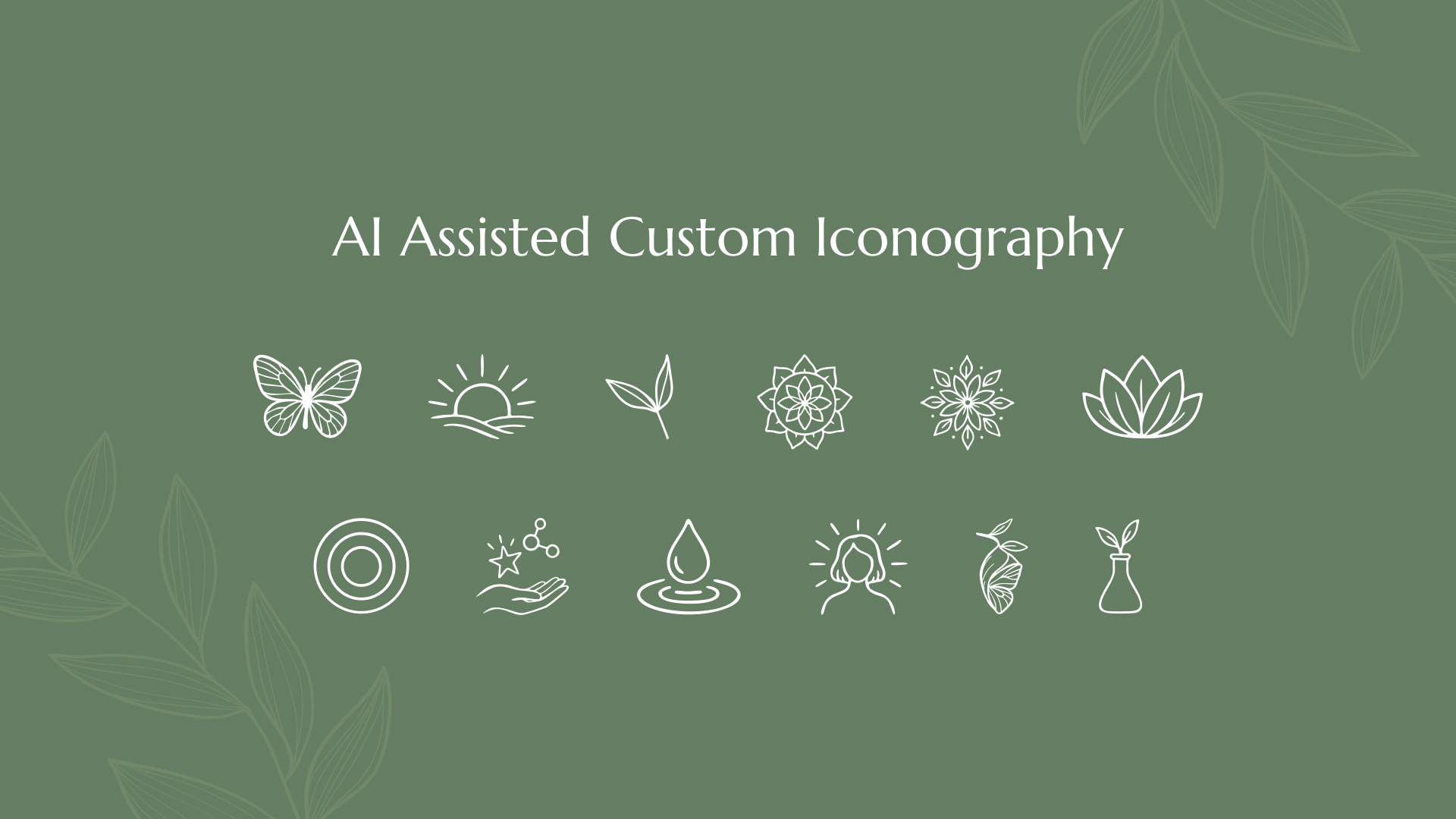
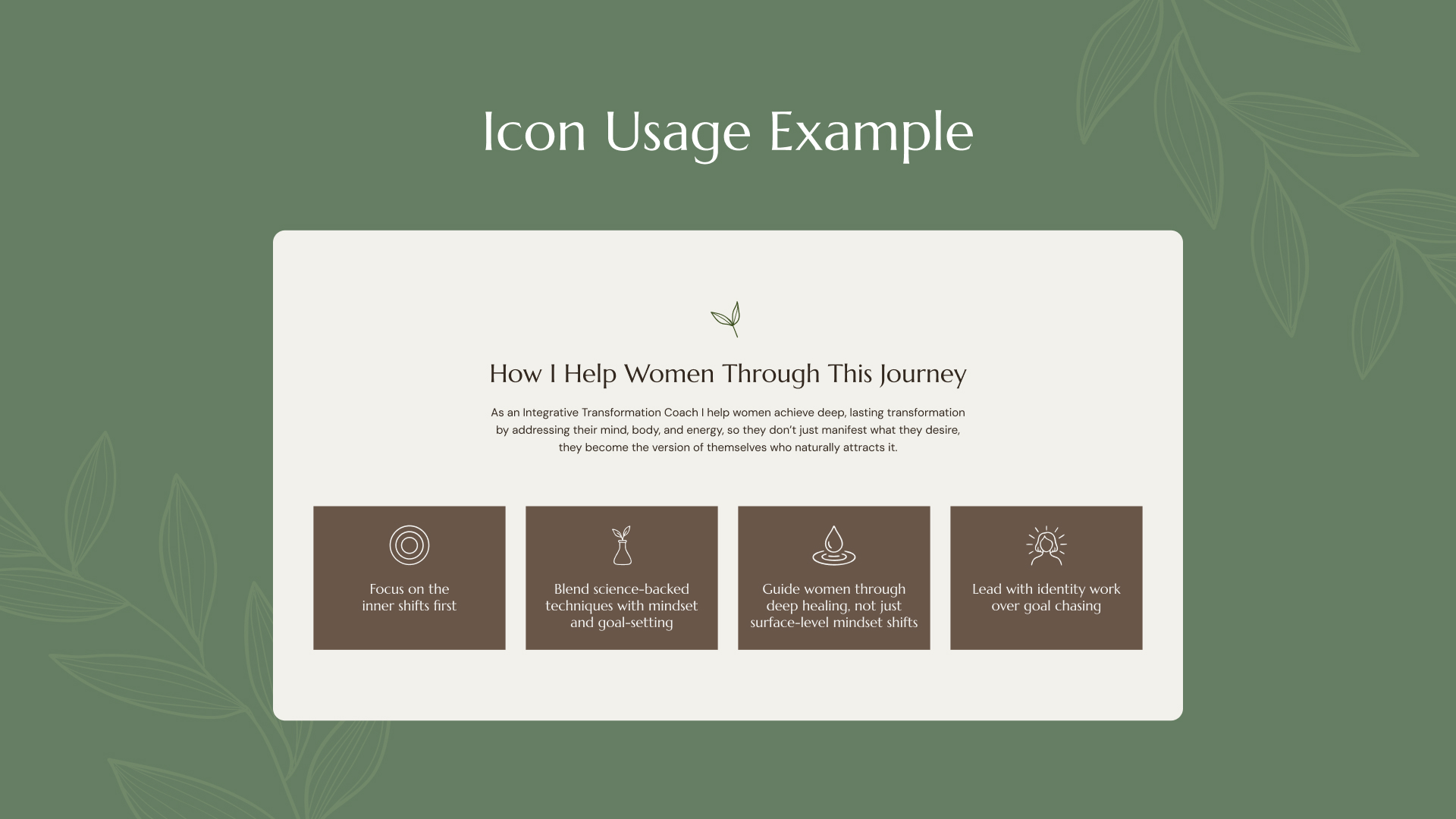
My client had a small budget and the time it would have taken to create hand-illustrated icons for the website would have run us over time. So, I dipped my toe into image generation within ChatGPT to create custom icons unique to their branding without ever reaching for a pencil. Don’t get me wrong, this wasn’t a careless process. I still had to ideate and think of what icons would best suit the client’s website before I entered any prompts into ChatGPT.
Using AI for Visual Exploration
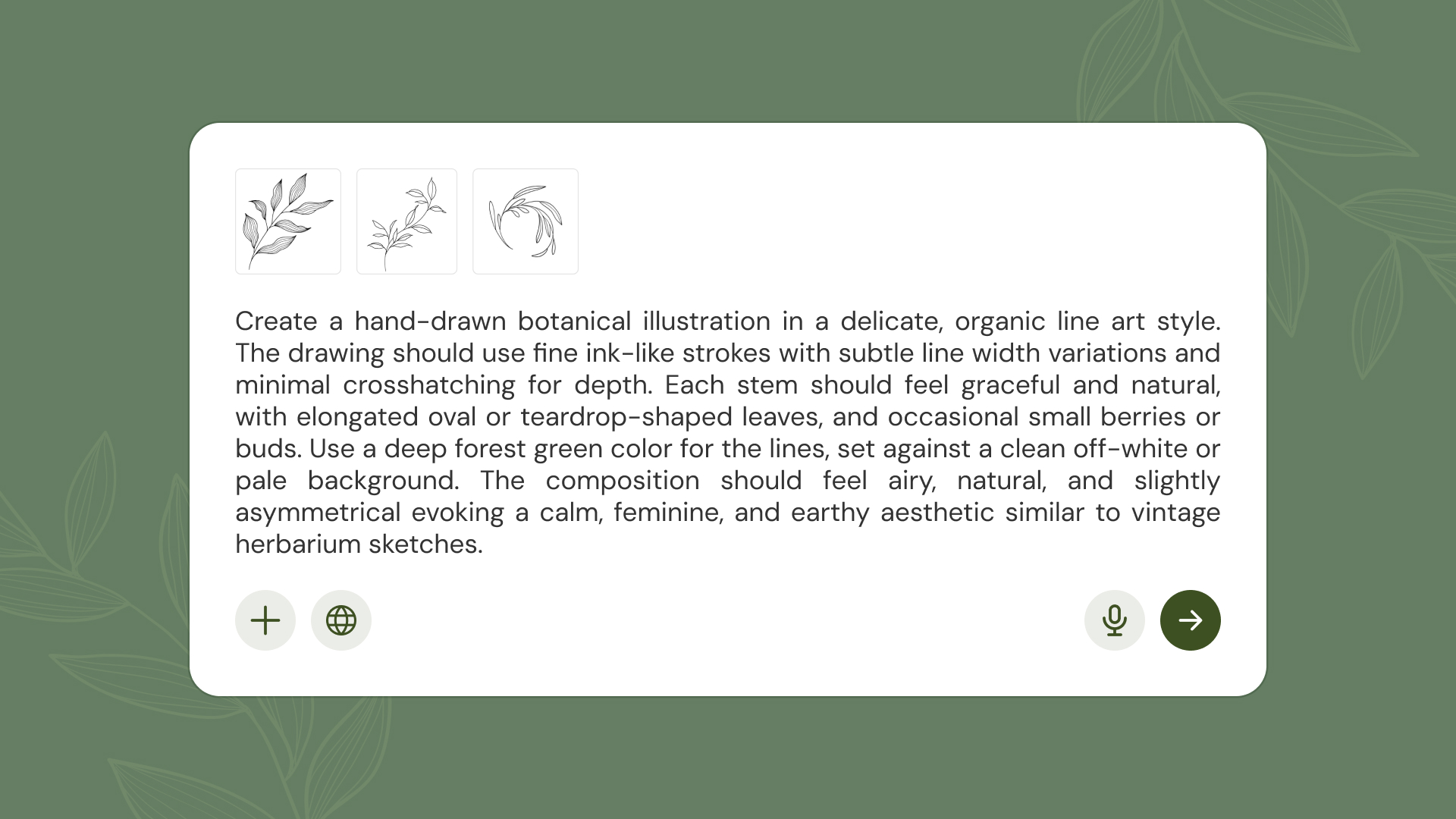
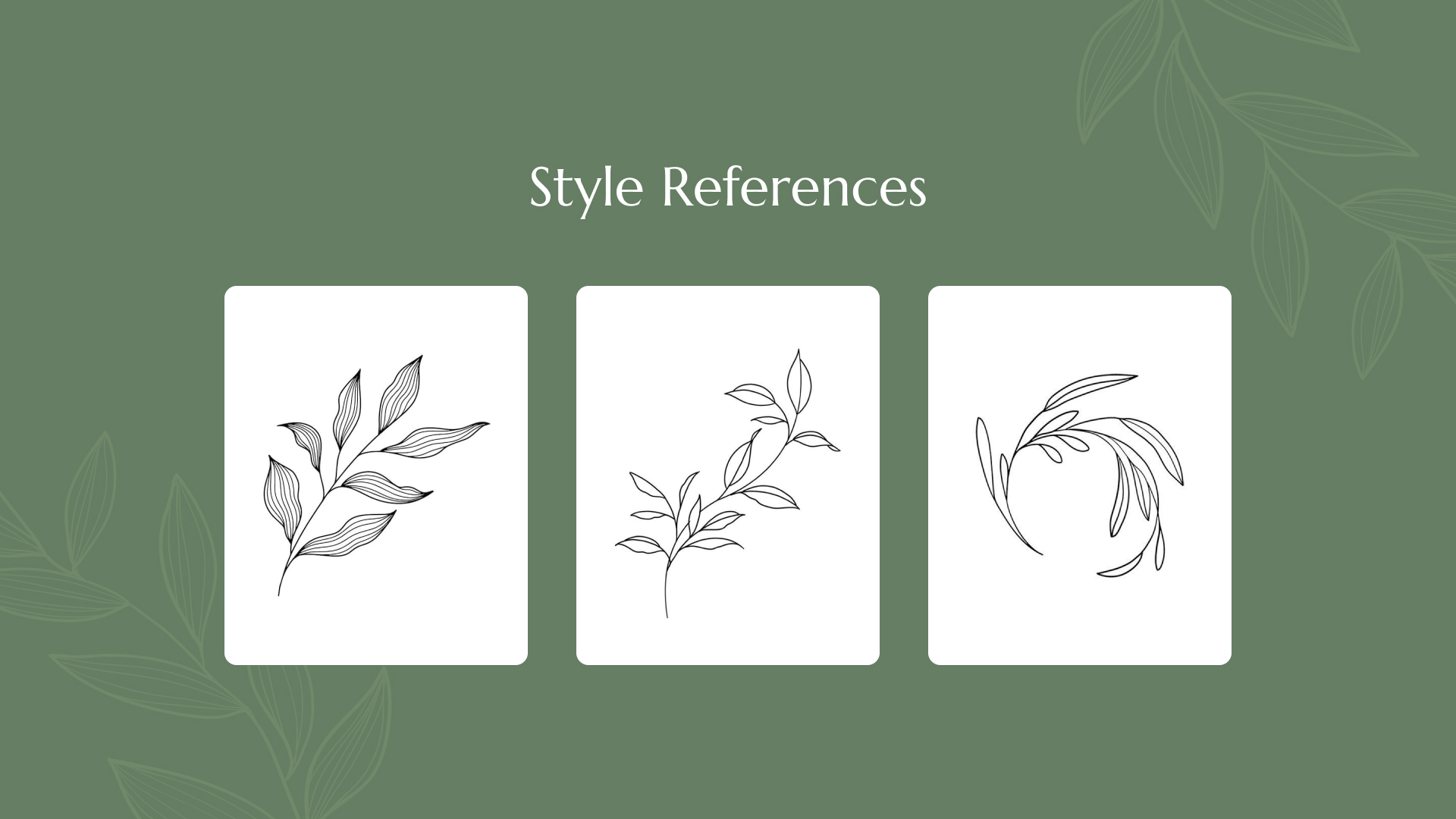
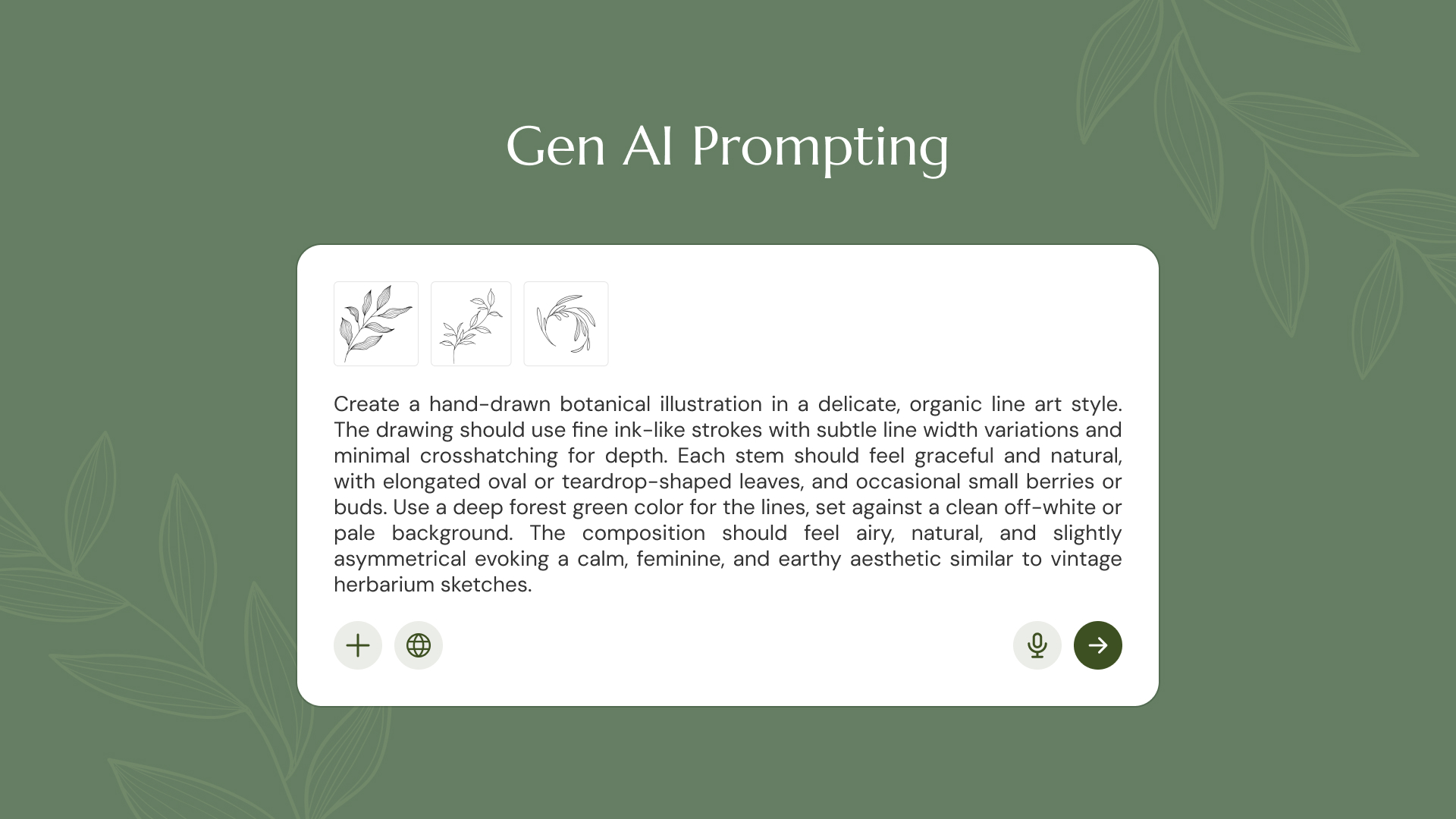
As the first step in my design process, I collected inspiration from online sources to develop a prompt that would produce the appropriate illustration output. Prompting ChatGPT to generate the specific results I was looking for simultaneously helped me clarify my own ideas–it felt like I was on the other side of the table, acting as the client. Just as a client and designer would go back and forth on ideas and revisions, I went through the same process with ChatGPT. Through my dialogue with the LLM, I clarified my ideas and what kind of illustrations I was looking for, essentially getting unlimited revisions, which would never happen in a real client-designer relationship.
Where Designers and Non-Designers Diverge
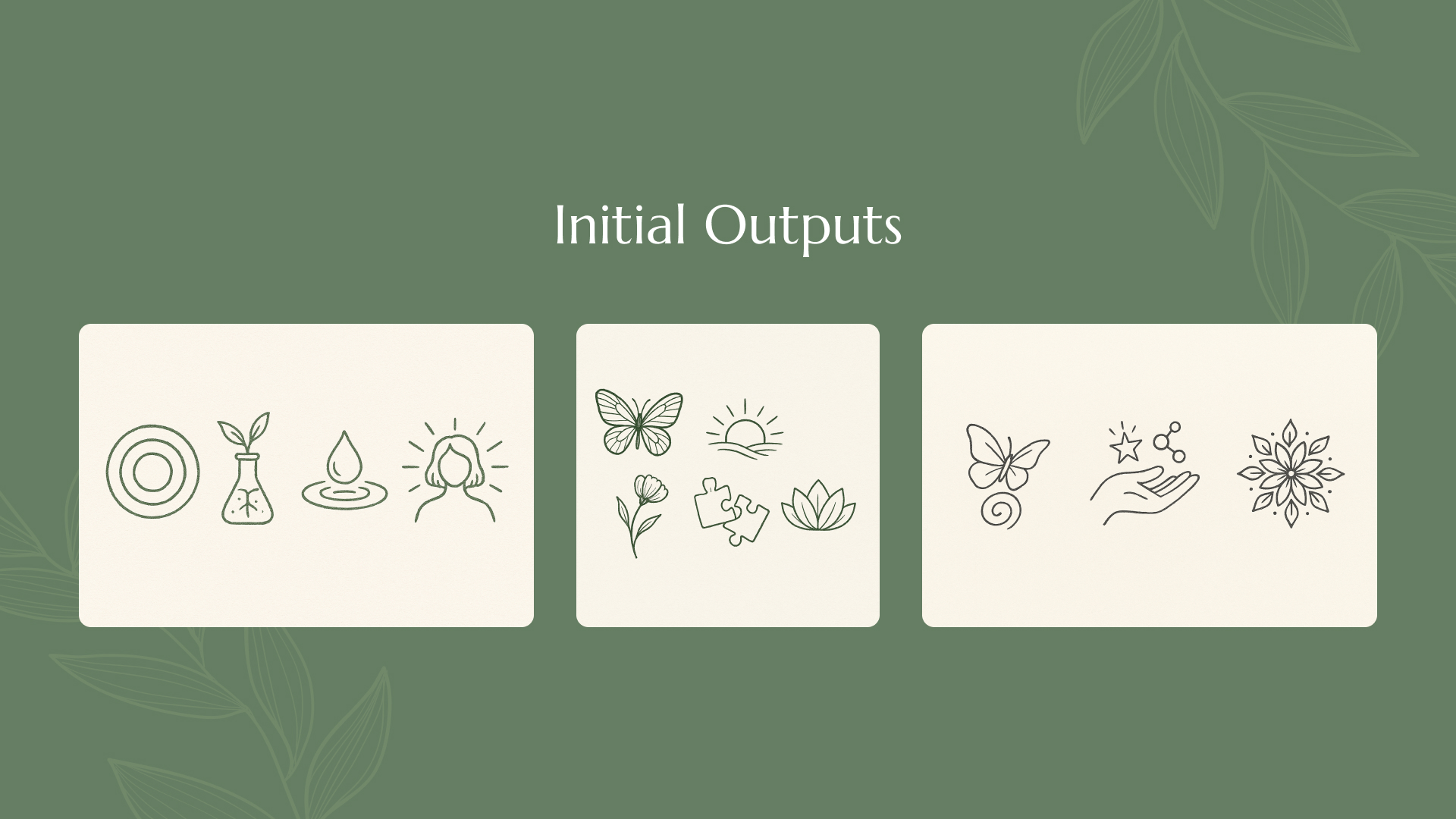
I continued prompting ChatGPT until it returned something I liked and was relevant to the project. What sets my process apart from a non-designer using GenAI is that, as a professional designer, I actually know what to do with that low-resolution JPEG it generates. This is one of my strongest arguments for using AI in a professional creative environment. While I believe it should not be used as a final product, it is an excellent tool for validating your ideas, coming up with iterations, and taking them further with human expertise.
The JPEG is where the non-designer would typically stop, using it in their final platform of choice, whether that be sharing it as a social post or sending it to print. Sure, a non-designer can prompt their way to a convincing AI output, but do they know how to upscale, recolor, reinvent, or elevate what the model has generated? That JPEG sure isn’t print-ready, nor is it easily editable if you ever need to update the copy or graphics within it. AI can get you far, but it can’t take you all the way.
I continued prompting ChatGPT until it returned something I liked and was relevant to the project. What sets my process apart from a non-designer using GenAI is that, as a professional designer, I actually know what to do with that low-resolution JPEG it generates. This is one of my strongest arguments for using AI in a professional creative environment. While I believe it should not be used as a final product, it is an excellent tool for validating your ideas, coming up with iterations, and taking them further with human expertise.
The JPEG is where the non-designer would typically stop, using it in their final platform of choice, whether that be sharing it as a social post or sending it to print. Sure, a non-designer can prompt their way to a convincing AI output, but do they know how to upscale, recolor, reinvent, or elevate what the model has generated? That JPEG sure isn’t print-ready, nor is it easily editable if you ever need to update the copy or graphics within it. AI can get you far, but it can’t take you all the way.
From AI Output to Production Asset
Back to my process: once I had JPEGs I liked the look of, I took them into the industry-standard software, Adobe Illustrator, to further refine them with my professional design judgment. As an expert in my field, I know what to do with the raw image output and how to polish it to make it distinct and usable in a production context.
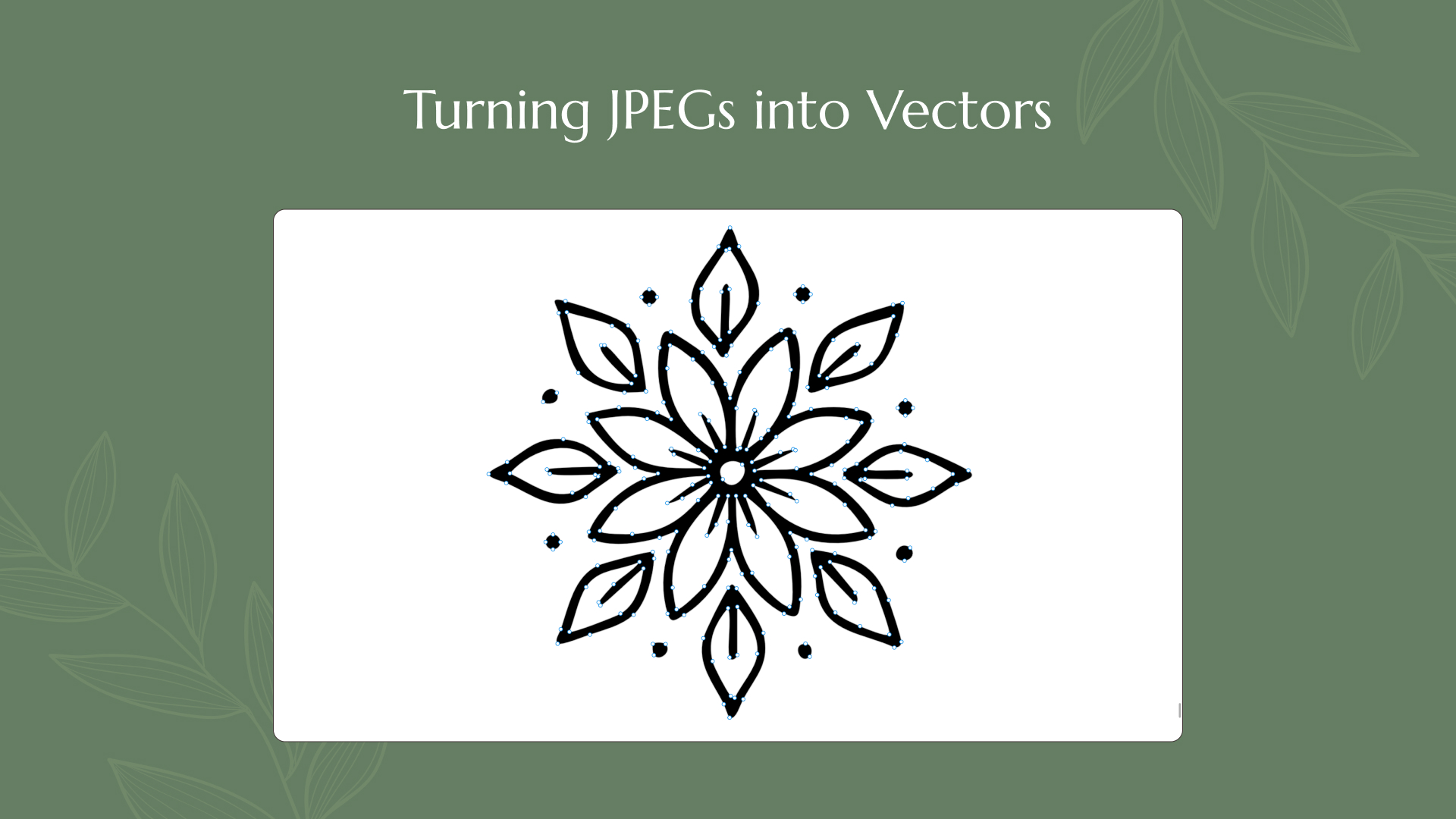
By using Illustrator’s Image Trace tool on the JPEG icons, I transformed the flat bitmap image into a vector graphic. This significantly improved the output, as it was now an infinitely scalable shape that I could use anywhere without losing resolution. The image tracing technique may not work for every AI-generated image, so human expertise, software knowledge, and creative discernment are crucial for elevating a generated output to a final product.
Using AI as a Starting Point
Once I converted the bitmap image into a vector, I could then recolor, resize, and even edit the vector paths of the shapes. This is where the true power of human expertise comes into play. Now that I’ve turned my AI image into an editable vector, I can manipulate the paths as I see fit by removing extraneous artifacts or adding to the illustration. As I’ve mentioned before, a non-designer would stop once they’ve received a good enough product, but a professional, whether a designer, developer, or copywriter, would know what to do next with said output to turn it into a production-ready asset.
On Originality and Ethics
The primary opposition to using AI in creative work surrounds the ethical considerations of originality and stealing from other artists. While it is true that AI models have been trained on the artworks of others, no one creates in a vacuum–not even AI. If you were to design an icon, logo, or website “the old-fashioned way,” you would most certainly still gather research and inspiration from sources you admire. Just as any creative person seeks inspiration, AI is simply another jumping-off point for your own designs. As I’ve stated before, I promote the use of GenAI in iterating and augmenting one’s creative process, but it should not replace human taste and judgment. There is still thought and strategy that goes into AI prompting to get the visuals you want and with that, human expertise in design, development, or copywriting is still required to create something unique and elevated from the base output.
Why Human Expertise Still Matters
While I’ve stated many times over that AI is an incredible tool for creativity and productivity, there is a continued need for human thought, strategy, and expertise. AI should not be a crutch when it comes to the actual thinking part of a designer’s job but rather a tool for expediting the more tedious parts of the creative process. I’ve already mentioned the distinction between a designer and a non-designer when it comes to how one uses the output they are given. Without my own pursuit and study of design principles, my understanding of industry-standard software, and thousands of hours spent practicing design, I would not have developed the intuition to know whether an AI output is good or what to do with it. This is what separates technical and non-technical users of AI. I have already put in the 10,000 human hours of practice to know whether ChatGPT, Gemini, or Claude are right or justified in giving their design recommendations. I’ve developed the creative muscles to know how to direct and prompt my agent to return the results I want. A non-technical user would not know how to assess said output nor would they have the knowledge or skill to refine it for final production.
Design Thinking to Solve the Real Problem
This is where I see the value in using AI in the professional creative process: not to replace your expertise, but to assist and elevate what you might not be able to accomplish all on your own. This brings me back to the subject of this article, which was that I had a small web design client who simply did not have the budget for custom, hand-drawn illustrations. But she did hire me, a professional designer, to come up with creative solutions to her problem. I don’t claim to be an illustrator, but as a creative professional I know how to harness the tools at my disposal to provide results for my client.
My Final Thoughts
As I’ve discussed throughout this article, the use of AI in creative processes is a recent advancement and not everyone may be on board just yet. If you are skeptical, I suggest trying it out on a personal project to see how you might use it to expedite your workflows. The implementation of AI in design and development is not meant to replace or invalidate human knowledge, but to become a thoughtful addition to our processes. Don’t let the LLMs become a crutch for your creativity, instead, use them as an inventive solution to constraints you may face for real-world constraints like timeline or budget. Not only was I able to deliver professional-level results from my AI-generated designs, but I was also able to solve a problem for my client and help them bring their vision to life faster than they could on their own. From my perspective, AI isn’t here to replace designers, it amplifies those who are skilled enough to know what to do next.